
Short answer: Search Console platform properties let a business see how Instagram, TikTok, X, and YouTube content performs on Google Search, Discover, and News when that content appears there. For a local business, this is not “social media analytics.” It is off-site search visibility data: which posts Google surfaces, which queries trigger them, and which content earns clicks.
A local business can be visible in more places than its website and Google Business Profile. A video, reel, short, post, or channel page can show up when someone searches for a service, a brand, a neighborhood, a product, or a problem. Until now, most local visibility reports ignored that off-site layer.
Google’s new Search Console platform properties create a practical opportunity: connect supported social and video accounts, read how that content performs in Google, and turn the data into a safer local content plan. This guide explains what the feature is, what to connect first, what reports matter, and how to use the data without confusing it with native platform analytics.
In this guide
- Why this matters now
- What changed in Search Console
- The decision question
- What Search Console platform properties can show
- What platform properties do not show
- How to set up a platform property
- What to connect first
- What to check in the Performance report
- The local visibility checklist
- What to fix first
- Example: a local med spa
- Example: a home services company
- How SEOG should use this data
- What not to promise
- Implementation notes for agencies and multi-location teams
- SEO and content actions after setup
- FAQ
- Bottom line
- Related SEOG guides
Why this matters now
People do not only find local businesses through a homepage or a map pack. They also find proof: videos, short clips, before-and-after posts, product demos, owner explanations, customer moments, and service examples.
For many local businesses, the public proof already exists on Instagram, TikTok, YouTube, or X, but the team does not know whether Google is finding it, ranking it, or sending users to it.
Search Console platform properties help answer questions like:
- Which YouTube Shorts or videos earn impressions from Google Search?
- Which Instagram posts or stories show up when people search the brand or service?
- Does TikTok content get Google visibility, or only native TikTok reach?
- Which queries send traffic to social content instead of the website?
- Which posts should be repurposed into website sections, GBP updates, FAQs, or ads?
Start here: treat platform properties as a search visibility layer, not a social engagement dashboard. The goal is to understand what Google surfaces, not how many times a platform showed the post inside its own app.
What changed in Search Console
Google introduced platform properties, a Search Console property type for content creators, publishers, and businesses that post on supported social and video platforms.
Supported platforms currently include:
- TikTok
- X
- YouTube
Once a platform account or channel is verified, Search Console can show how that platform content performs on Google Search. The Help Center also notes that News and Discover data can appear if the content receives traffic from those surfaces.
This creates a new reporting path for businesses that have valuable content outside their own website.
The decision question
Should this local business connect social and video accounts to Search Console, and what should it do with the data after it appears?
A strong answer should identify:
- which platforms the business actually uses;
- whether the content is public and discoverable;
- whether Google already shows that content;
- which queries and posts produce impressions or clicks;
- which content should be turned into a stronger local proof asset;
- what should be improved on the website, GBP profile, or content calendar.
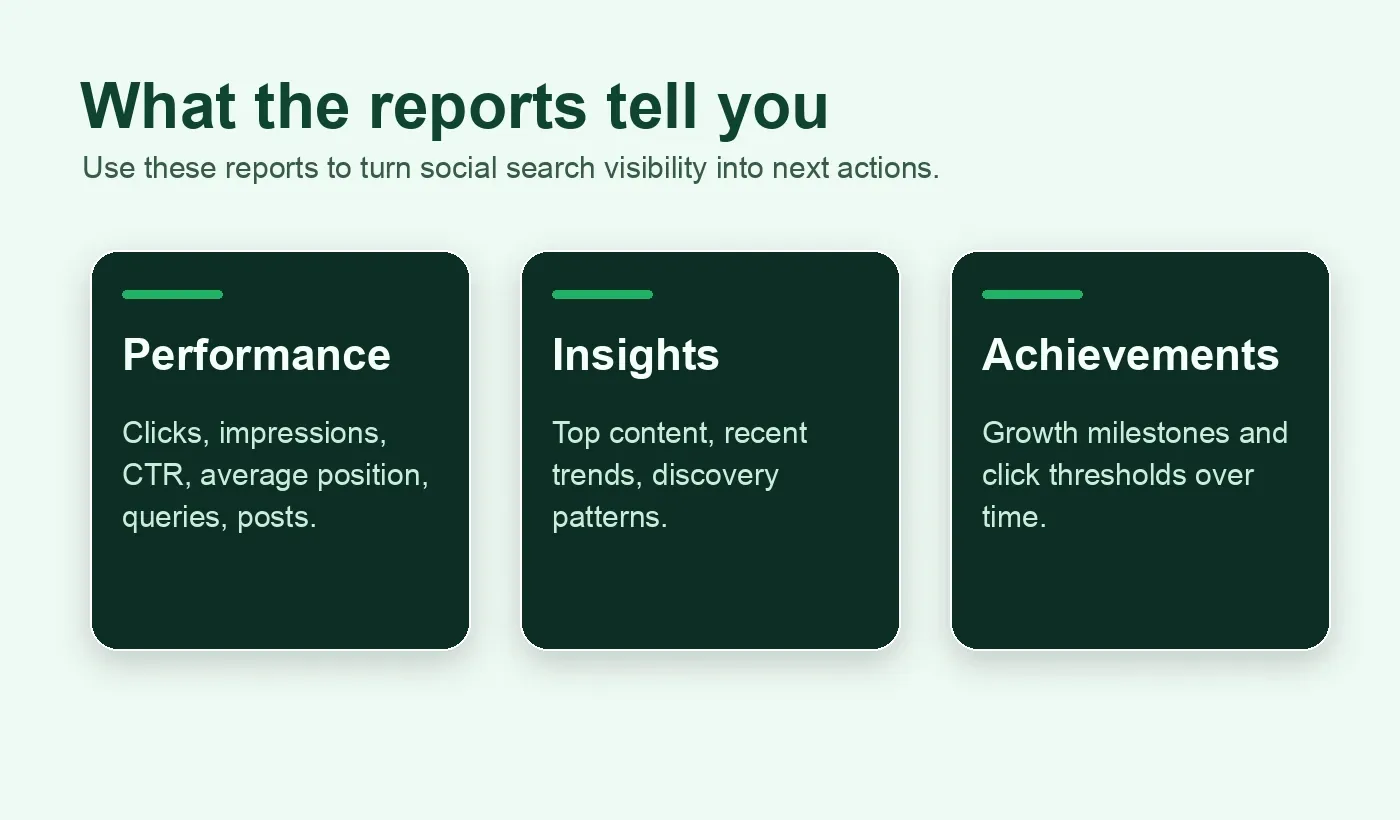
What Search Console platform properties can show
Platform properties focus on Google performance for platform content. They do not replace Instagram Insights, TikTok Analytics, YouTube Studio, or X analytics.
| Report | What it shows | How a local business should use it |
|---|---|---|
| Performance | Clicks, impressions, CTR, average position, queries, and specific content performance. | Find which posts or videos Google already surfaces and which queries lead to them. |
| Insights | Recent traffic trends, top-performing content, and discovery patterns. | Identify the themes and content formats worth repeating. |
| Achievements | Click-based growth milestones from Google Search. | Track whether off-site visibility is gaining momentum. |
| Discover / News surfaces | Available only if the property receives traffic there. | Treat as additional reach, not guaranteed reporting. |
What platform properties do not show
This is the part most teams will misunderstand.
Platform properties do not show total native platform performance. They only show how platform content performs on Google.
| Misread | Correct interpretation |
|---|---|
| “This shows our total TikTok views.” | No. It shows Google Search/Discover/News performance for TikTok content when Google surfaces it. |
| “Low Search Console clicks means the post failed.” | Not necessarily. The post may perform well inside the platform but not in Google. |
| “This replaces YouTube Studio.” | No. It complements YouTube Studio by showing Google discovery data. |
| “This is a ranking guarantee.” | No. It is reporting, not a promise that Google will show every post. |
| “One property covers all platforms.” | No. Each account/channel should be added as its own property. |
How to set up a platform property
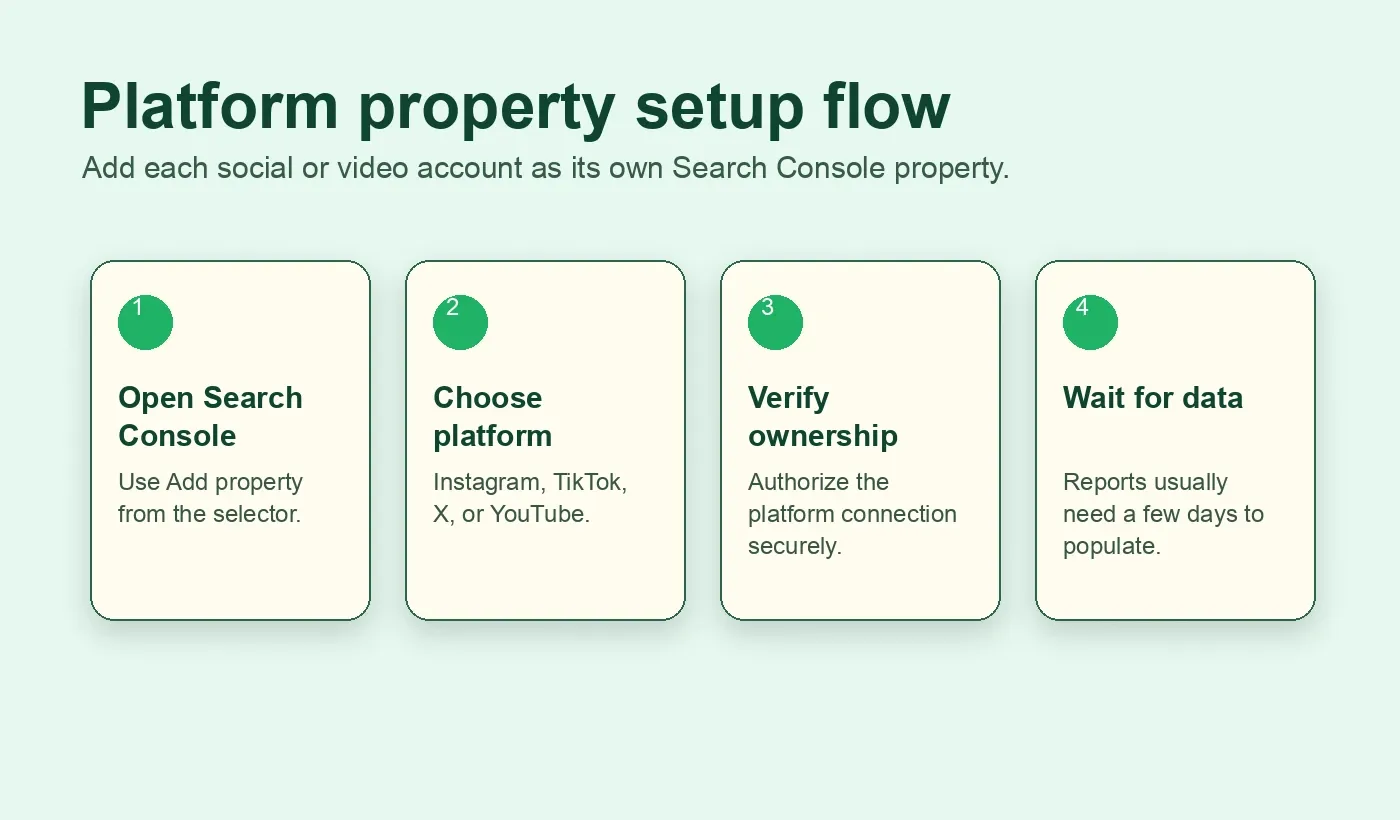
Use this sequence when connecting a local business account.
- Open Search Console.
- Go to the Search Console welcome screen or open the property selector.
- Click Add property.
- Choose the platform: Instagram, TikTok, X, or YouTube.
- Follow the verification and authorization prompts.
- After ownership is verified, click Go to property.
- Wait a few days for data to appear.
If the business has multiple accounts, repeat the setup for each account or channel.
Examples:
- one YouTube channel = one platform property;
- one Instagram profile = one platform property;
- one TikTok account = one platform property;
- one X account = one platform property.
For security, Google periodically checks ownership. If the external login expires or the connection is lost, reporting pauses until the account is re-verified. After re-verification, access resumes to the same report.
What to connect first
Do not connect everything blindly. Start with the platform most likely to have local search value.
| Business type | Connect first | Why |
|---|---|---|
| Med spa, dentist, clinic, salon | Instagram or YouTube | Visual proof, service education, before/after style content, trust-building posts. |
| Restaurant, gym, hotel, venue | Instagram, TikTok, YouTube | Discovery often depends on visual experience, local intent, and shareable proof. |
| Home services | YouTube or TikTok | Short explanations, emergency tips, service-area proof, and before/after clips can surface in search. |
| Professional services | YouTube, X, Linked content if supported later | Educational content and authority queries matter more than raw entertainment reach. |
| Multi-location brand | YouTube plus location-specific Instagram/TikTok accounts | Separate properties help avoid mixing markets and locations. |
If the account has no public content, no consistent posting, or no local proof, fix the content foundation before treating the report as a growth lever.
What to check in the Performance report
Once data appears, start with four views.
1. Queries
Look for the search terms that lead users to the platform content.
Group them into:
- brand queries;
- service queries;
- neighborhood or city queries;
- problem queries;
- comparison queries;
- informational “how to” queries.
A local business should pay special attention to service and neighborhood queries. Those often reveal content that should be supported by a stronger website page, GBP section, FAQ, or landing page.
2. Pages or posts
Identify which specific posts, videos, or platform URLs get impressions and clicks.
Ask:
- Is this content still accurate?
- Does it have a clear next step?
- Does it link or point to the right business action?
- Does it answer the query that Google is showing it for?
- Should this become a website FAQ, service-page section, GBP post, or ad angle?
3. CTR
A post can get impressions but weak clicks. That usually means the title, preview, snippet, thumbnail, or topic framing is not pulling users forward.
Do not rewrite the whole strategy from one low CTR post. Instead, compare similar content and look for patterns.
4. Average position
Average position helps show whether the platform content is close to meaningful visibility or buried too far down.
Use it directionally. Do not treat it as a perfect local rank tracker. Platform content can appear in different search features and surfaces, and Search Console data is designed for performance analysis, not guaranteed rank auditing.
The local visibility checklist
Use this checklist before deciding whether platform properties should become part of the monthly local SEO workflow.
| Check | What to inspect | Action if weak |
|---|---|---|
| Platform coverage | Which supported accounts exist and are active? | Connect only accounts with public, useful content first. |
| Ownership | Can the business verify the account/channel? | Resolve admin access before reporting promises are made. |
| Data delay | Has the property had a few days to collect data? | Do not judge a new property on day one. |
| Query relevance | Are impressions coming from useful local/service queries? | Group queries by service, location, problem, and brand. |
| Content match | Do top posts answer the query that surfaces them? | Update captions, titles, thumbnails, or supporting pages. |
| Conversion path | Does the post tell users what to do next? | Add clearer CTAs, links, profile paths, or website support. |
| Website bridge | Does the business own a page for the same intent? | Create or improve a service/FAQ/location page. |
| GBP bridge | Could this proof support a GBP post, photo, product, service, or Q&A answer? | Reuse safe proof in GBP with human review. |
What to fix first
Do not start by creating more random social posts. Start by using the data to find the strongest search proof.
| If you see this | Fix first |
|---|---|
| A platform post gets impressions for a service query but low clicks. | Improve the post title/thumbnail/caption and create a stronger website section for the same query. |
| A YouTube video gets clicks for a local problem query. | Add a matching FAQ or service page and link the video from the relevant page. |
| Instagram content appears for branded queries only. | Add more service-specific and location-specific proof content. |
| TikTok gets Google impressions but no conversion path. | Add profile links, clearer next steps, and repurpose the topic into owned-site content. |
| X posts appear for authority queries. | Turn the strongest posts into evergreen articles or FAQ sections. |
| No data appears after setup. | Confirm connection, wait a few days, then inspect whether content is public and indexable enough to surface. |
Example: a local med spa
A med spa connects its Instagram and YouTube channel as platform properties.
After a few days, Search Console shows that several Instagram posts receive impressions for brand terms, but one YouTube Short receives impressions for a query like “lip filler swelling day 2.”
That is not just a social media signal. It is a local visibility clue.
The team should ask:
- Does the website have a page or FAQ that answers this concern?
- Does the Google Business Profile show treatment photos, services, and safe language?
- Does the YouTube description point to the correct booking or consultation path?
- Is the content medically safe, accurate, and reviewed?
- Could this become a better pre-consultation FAQ or local landing-page section?
The fix is not “post more.” The fix is to turn proven search demand into a safer owned-content and local-trust path.
Example: a home services company
A plumbing company posts short videos about emergency shutoff valves, water heater noises, and drain warning signs.
Search Console platform data shows that one YouTube video gets impressions for “water heater making popping noise.”
The local SEO action plan could be:
- Create or improve a water-heater troubleshooting page.
- Add the video to the page.
- Add a clear emergency-call CTA.
- Check whether the GBP services list includes water heater repair.
- Track whether calls and local visibility improve after the content is connected.
Again, the platform property is not the whole strategy. It is a discovery signal that helps decide what to fix next.
How SEOG should use this data
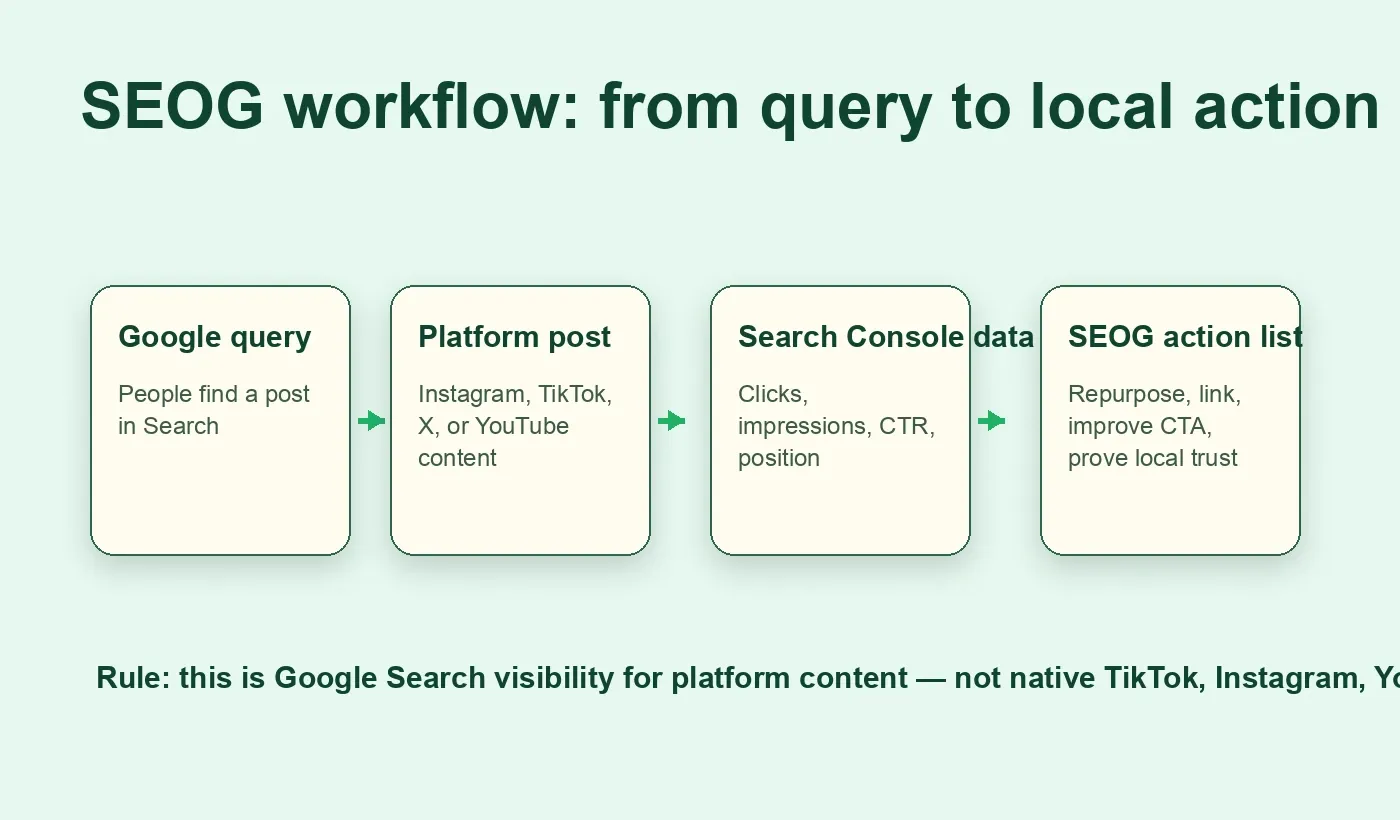
For SEOG, platform properties fit naturally into a broader local visibility workflow.
SEOG should not treat this as a vanity dashboard. The product value is turning the data into a prioritized action list.
| SEOG workflow | Platform property contribution |
|---|---|
| Local visibility audit | Shows whether social/video content is already appearing in Google. |
| Search query clustering | Reveals queries attached to off-site content, not only website pages. |
| Content opportunity scoring | Identifies posts worth converting into owned pages, GBP assets, FAQs, or ads. |
| GBP checklist | Connects proven content themes to services, photos, posts, and Q&A opportunities. |
| Multi-location reporting | Helps separate platform performance by account/channel where brands have location-specific profiles. |
| PDF-ready report | Gives owners a clear explanation of which social assets Google is already surfacing. |
Product rule: keep the workflow read-first and draft-first. SEOG can recommend what to reuse or improve, but it should not silently publish platform, GBP, or website changes without human approval.
What not to promise
This feature is useful, but it does not change Google’s basic rules.
Do not promise:
- that every post will appear in Google;
- that connecting a platform property improves rankings by itself;
- that Search Console replaces native platform analytics;
- that one account can represent every platform;
- that Discover or News reporting will appear for every business;
- that SEOG can publish changes without approval.
Safe language:
“Connect supported social and video accounts so you can see which content Google already surfaces, which queries trigger it, and what to improve next.”
Implementation notes for agencies and multi-location teams
If you manage multiple local businesses or locations, build a clean property map.
| Item | Recommendation |
|---|---|
| Property naming | Use business/location/platform naming, such as “Austin Dental - YouTube.” |
| Account mapping | Store which platform property belongs to which business or location. |
| Refresh rhythm | Review monthly or after major content campaigns. |
| Reporting | Separate owned-site GSC data from platform-property GSC data. |
| Client education | Explain that this is Google discovery data, not total social reach. |
| Access control | Track who can re-verify if platform ownership expires. |
This prevents a common reporting mistake: mixing website performance, GBP performance, and platform performance into one unclear “visibility” number.
SEO and content actions after setup
Once the data is available, use it to make better decisions.
- Turn high-impression posts into owned-site FAQ sections.
- Add internal links from relevant service pages to videos or proof content where helpful.
- Use query data to improve captions, titles, thumbnails, and descriptions.
- Repurpose proven posts into GBP updates, photos, services, or Q&A content with human review.
- Add stronger CTAs on platform profiles and descriptions.
- Build a monthly “off-site search visibility” section in the local SEO report.
- Compare platform queries against website GSC queries to find gaps.
- Watch for content that gets impressions but weak clicks; those are conversion opportunities.
FAQ
Is this the same as Google Business Profile performance?
No. Google Business Profile performance shows activity around a business profile. Platform properties show how supported social and video content performs on Google Search, and sometimes Discover or News if traffic exists there.
Does this show TikTok or Instagram reach?
No. It does not show total native platform reach. It shows Google performance for content from those platforms.
Can a local business without a website use this?
Yes, the Search Central announcement specifically says this helps creators and site owners, including those without their own website, get a consolidated view of how content is discovered on Search. For SEOG, however, the best workflow still connects platform insights back to owned assets when possible.
How long does data take to appear?
Google says it can take a few days after setup for data to appear in reports.
Which platforms are supported now?
Instagram, TikTok, X, and YouTube.
Does connecting a platform property improve rankings?
No. It is a reporting feature. It helps you see performance and make better decisions, but it is not a ranking boost.
Should every local business connect all four platforms?
Not immediately. Connect the platforms that have real public content and business value first. A dormant account with weak content will not create much useful insight.
Can SEOG automate this?
The practical first step is a spike: add a platform property, wait for data, inspect how it appears in Search Console, and verify how the Search Console API exposes the property identifier. Once the API behavior is confirmed, SEOG can turn the data into a connector and checklist workflow.
Bottom line
Search Console platform properties make social and video content measurable inside Google Search visibility.
For a local business, the value is not another dashboard. The value is knowing which off-site content Google already finds useful, which queries trigger it, and how to turn that signal into a safer local action plan.
SEOG should use this as part of a broader local visibility system: website, GBP, reviews, rankings, competitors, and now social/video search discovery.
When the data shows that a post or video is already getting Google impressions, the next question is simple: should this become a better page, a better GBP asset, a better FAQ, a better CTA, or a better local proof point?
Related SEOG guides
- Local SEO Analytics Checklist: Which Web Stats Actually Explain Calls From Google Maps
- Business Visibility Analysis Checklist: How to Turn a Free Report Into Real Local SEO Priorities
- Citations and NAP Consistency Checklist: What to Fix Before Buying More Listings
- What Is Generative Engine Optimization (GEO)?